• Skip to main content
  • Skip to primary sidebar

Reliable Technologies - reliablenh.com

Let Reliable Technologies bring comfort, coziness, and convenience to your house with the review for all kinds of home products you may need. Don’t miss out!

  • Dyson
  • ECOVACS
  • Roomba Vacuum
  • Samsung

Main Content

Fix it. Or buy the right one.

Plain-English fix guides and buying guides for home appliances, starting with robot vacuums from Roomba, ECOVACS and Samsung, and Dyson cordless vacuums. Our Roomba and DEEBOT N79 fix guides follow the manufacturers' own support documents.

RoombaECOVACS DEEBOTSamsung POWERbotDyson

What's going wrong?

  • Roomba won’t chargeDock, contacts, battery and charging error codes
  • Roomba won’t dockiRobot’s own checklist and Error 18
  • Roomba charging lightsWhat orange, red and green mean
  • Reboot or reset a RoombaButtons and hold times by model
  • Roomba battery replacementLifespan, warning signs and removal
  • Roomba troubleshooting guideError codes and common faults in one place
  • DEEBOT N79 red light and beepsBeep codes, lost schedule and Wi-Fi
  • DEEBOT N79 manualLights, beeps and cleaning modes

Browse by brand

Roomba

iRobot fixes, maintenance and buying guides.

  • How long does a Roomba battery last?
  • How to clean a Roomba filter
  • Roomba not connecting to Wi-Fi
See all Roomba guides

ECOVACS DEEBOT

Manuals, troubleshooting and reviews.

  • ECOVACS DEEBOT M80 Pro review
  • Ecovac Deebot N79S: things to know
  • Which robot vacuum is best: 7 ECOVACS picks
See all ECOVACS guides

Samsung POWERbot

Robot vacuum reviews.

  • Samsung POWERbot R7065 review
  • Samsung POWERbot R7070 review
  • Samsung POWERbot R7090 review
  • Samsung POWERbot R9250 review
See all Samsung guides

Dyson

Cordless and handheld vacuum picks, plus care.

  • Which is the best Dyson cordless vacuum?
  • Most powerful handheld vacuum
  • How to clean a Dyson vacuum
See all Dyson guides

Buying guides

  • Which Roomba should I buy?8 best-selling picks
  • Best Roomba for a small apartmentWorth buying in 2026
  • Best Roomba for hardwood floors5 picks
  • Best robot vacuums for dog hair5 picks
  • Best self-emptying robot vacuums3 choices
  • Quietest robot vacuumsTop 3 options for 2026
  • How much is a Roomba?Expensive or worth buying
  • Are robot vacuums worth it?10 reasons

Latest guides

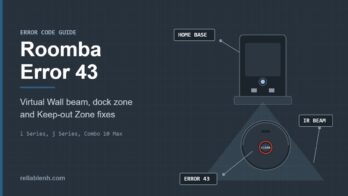
Roomba Error 43: Virtual Wall, Dock and Keep-Out Fixes

By Reliable Technologies Editorial Team | Last updated on October 29, 2026

Roomba Error 43: robot stuck in a Virtual Wall or Home Base beam, or started in a Keep-out Zone

Roomba Error 43 means the robot is in a spot it has been told to avoid. On an i Series it is stuck in the infrared beam of a Virtual Wall or the Home Base; on a j Series or Combo 10 Max it started a job inside a Keep-out Zone, including the small zone the robot sets around its … [Read more...] about Roomba Error 43: Virtual Wall, Dock and Keep-Out Fixes

Filed Under: Roomba Vacuum

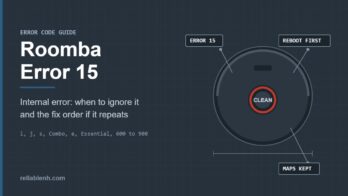
Roomba Error 15: What It Means and When to Reboot
By Reliable Technologies Editorial Team | Last updated on October 29, 2026

Roomba Error 15: internal error, when to ignore it and the fix order if it repeats

Roomba Error 15 means the robot had an internal error and recovered from it on its own; iRobot says no troubleshooting is needed when it happens once, and it is expected right after the battery has been removed and reinstalled. Press CLEAN and carry on. If Error 15 appears on … [Read more...] about Roomba Error 15: What It Means and When to Reboot

Filed Under: Roomba Vacuum

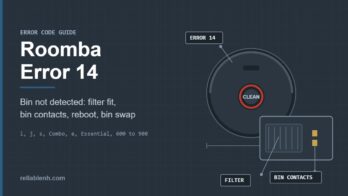
Roomba Error 14: Bin Not Detected and How to Fix It
By Reliable Technologies Editorial Team | Last updated on October 29, 2026

Roomba Error 14: bin not detected, with the bin contacts and filter to check

Roomba Error 14 means the robot cannot detect its dust bin. Take the bin out, check that the filter is clean and fitted the right way, push the bin back in until it clicks, then press CLEAN. If the error returns, wipe the metal contacts on the bin and inside the robot with … [Read more...] about Roomba Error 14: Bin Not Detected and How to Fix It

Filed Under: Roomba Vacuum

How Long Does Roomba Battery Last: 4 Things to Know

By Reliable Technologies Editorial Team | Last updated on October 29, 2026

How Long Does Roomba Battery Last: 4 Things to Knowfor your Roomba.

📋 Table of Contents How Long Does a Roomba Battery Last? 5 Signs Your Roomba Battery Needs Attention Battery Light Indicators — What Each Color Means How to Reset & Recalibrate Your Roomba Battery 7 Tips to Extend Your Roomba Battery Lifespan How to … [Read more...] about How Long Does Roomba Battery Last: 4 Things to Know

Filed Under: Roomba Vacuum

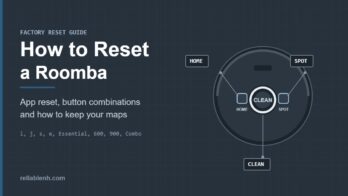
How to Reset Roomba: Factory Reset Steps for Every Model
By Reliable Technologies Editorial Team | Last updated on October 29, 2026

How to reset Roomba: app factory reset and button combinations by series

To reset Roomba to factory settings, use the app: in the Roomba Home app open Robot Settings, tap About Roomba, then Factory Reset and Remove Robot (in the classic iRobot HOME app it is Product Settings, About, Remove Device from Account). With no app, hold the button combination … [Read more...] about How to Reset Roomba: Factory Reset Steps for Every Model

Filed Under: Roomba Vacuum

  • « Go to Previous Page
  • Page 1
  • Page 2
  • Page 3
  • Page 4
  • Interim pages omitted …
  • Page 9
  • Go to Next Page »

Primary Sidebar

Popular Posts

  • Roomba Replacement Battery: Top 8 Picks by Series
  • Roomba Won’t Leave Dock: Error 19 and Undocking Fixes
  • 6 Roomba Replacement Parts Kits Worth Buying
  • Roomba Error 43: Virtual Wall, Dock and Keep-Out Fixes
  • Roomba Error 15: What It Means and When to Reboot
  • Roomba Error 14: Bin Not Detected and How to Fix It
  • How to Reset Roomba: Factory Reset Steps for Every Model
  • How Long Does Roomba Battery Last: 4 Things to Know

Home | Contact us | Privacy | Terms | RSS

Copyright © 2026. Reliable Technologies All rights reserved.